Voice and audio for Minecraft
Proximity voice chat that runs in a browser tab
Location based voice and server wide audio for Spigot, Paper, Bungeecord and Velocity. Your players never install a thing.
Trusted by servers worldwide




Proximity voice
Spatial voice with natural falloff and direction, straight from the browser.
Server audio
Region music, block speakers, playlists and one-off cues on command.
Proxy native
Spigot, Paper, Bungeecord and Velocity, in any combination you already run.
Nothing to install
Players open a link. No resource pack, no client mod, no launcher.
What it looks like
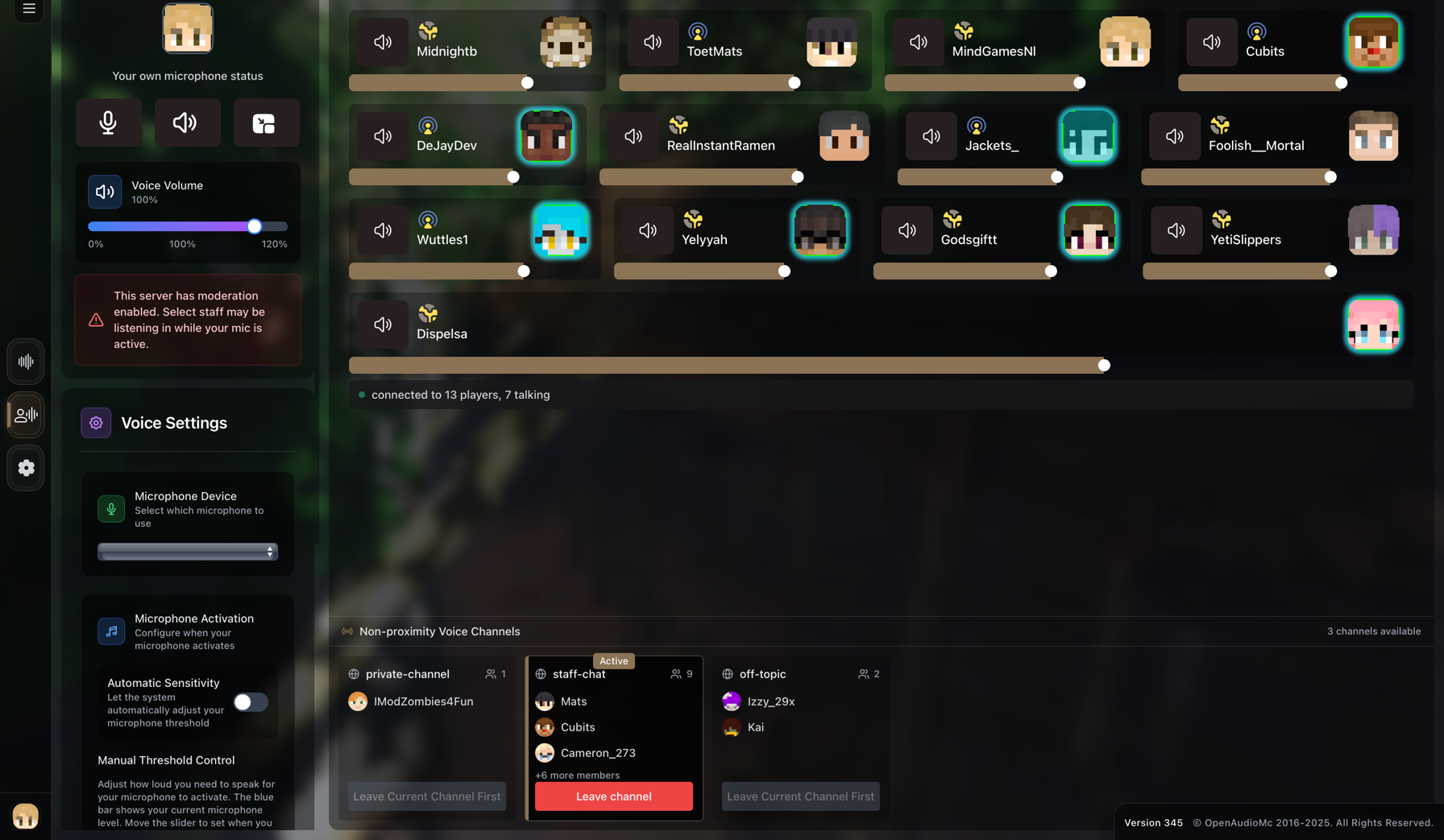
One client, every feature
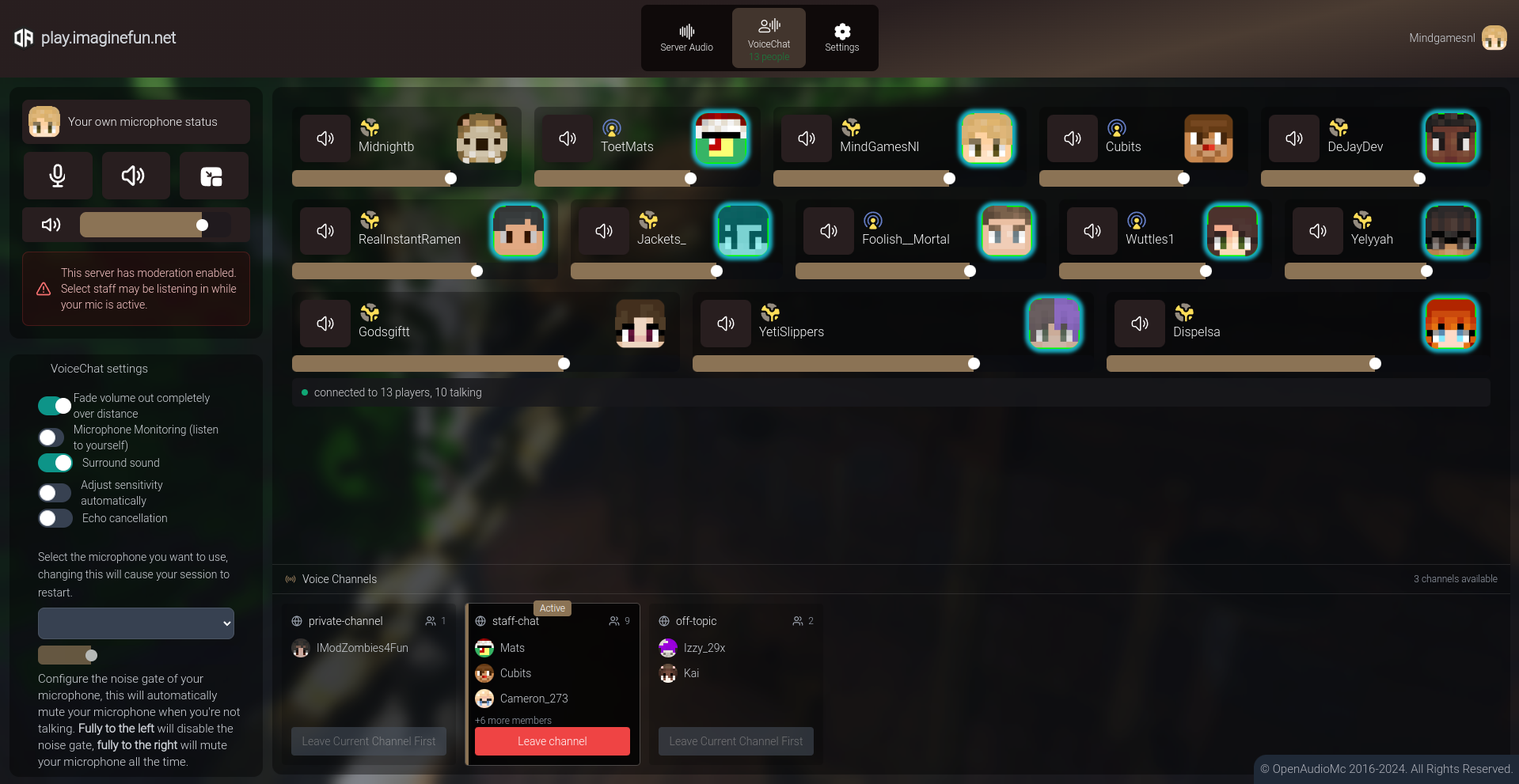
Voice, music, channels and moderation all live in the same window your players already have open.
Channels and moderation
Private rooms, permission gated channels and per player mutes. Every message the plugin sends is yours to rewrite.
Regions and speakers
Bind music to WorldGuard regions or place speakers on blocks so sound emits from exactly where it should.
- Servers served
- 80,000+
- Client mods needed
- 0
- Free media storage
- 200 MB
- Supported platforms
- 4
Setup
No database, no CDN, no resource pack.
- 01
Drop in the jar
Install OpenAudioMc on your server, or on the proxy and every sub server for networks.
- 02
Link your account
Run the setup command once to connect the plugin to your OpenAudioMc account.
- 03
Players type /audio
They get a private link, open it and are in voice chat within seconds.
Everything included
The rest of the toolkit
Proximity Voice Chat
Automatic location based voice chat with spatial client support, moderation features and more. All without mods. Players just need to open a link they receive when they join your server, and they're good to go.
Free Tier Resources
We offer a free tier for small servers, with 200MB of storage, 10 voice slots and unlimited (fair use) audio slots. Both can be upgraded through a content creator form or a variety of patreon plans, to support the project.
Simple customization and management
Installations linked to your account can easily be managed through the web interface. You can customize the look and feel of your client, upload your own music and sound effects, and more.
Voice Chat Channels
Create voice channels to let players talk to each-other privately or in groups throughout your entire server. You can lock certain channels behind permissions, let players create their own and customize all command messages.
Region Based Music
Assign music to specific World Guard regions or worlds, to add dynamic area music to different parts of your server.
Speakers
Place speakers throughout your world, to play spatial music/effects emmitting from a block.
Strong Customization
Customize the look and feel of your Web Client with your own text, colours and images.
Broad Platform Support
Whether you're running Spigot, Bungeecord, Paper, Velocity, Lilypad or any combination of the above, we've got you covered.
Browser-Based Solution
OpenAudioMc runs entirely from a browser tab using a magic link. Your player's don't need to download or install anything!
Get started
Give your server a voice this afternoon
Free tier included: 200 MB of media storage, 10 voice slots and fair use audio for everyone else.